Your mirrors.
One reliable Docker pull.
Put your registry mirrors behind one local proxy. Automatically switch away from failures and resume interrupted layers. Copy, run, and start pulling.
install the latest releasesh
curl -fsSL https://github.com/runui/oci-mirror-proxy/raw/refs/heads/master/install.sh | DOWNLOAD_BASE_URL=https://github.com/runui/oci-mirror-proxy sh -s -- --servicePaste into your terminal. Installs and starts a systemd/OpenRC service, then configures local Docker. Requests sudo for system changes; never restarts Docker.
SHA256 checked · Your configuration stays yoursInstall options & uninstall
dockerdoci-mirror-proxyyour mirrors
01
Upstreams, on your terms.
Add, remove, and disable mirrors without restarting dockerd.
02
Isolate failures. Keep pulling.
Circuit breakers take failing mirrors out of rotation until a probe succeeds.
03
Resume. Don’t restart.
Continue an interrupted layer from the same byte offset on another mirror.
IN ACTION / A REAL PULL
Less waiting. More progress.
508.0 s through the proxy, compared with 740.3 s directly from the mirror in this preview. Results depend on your network and mirrors.
See the comparison & recordings1.46×as fast in this preview
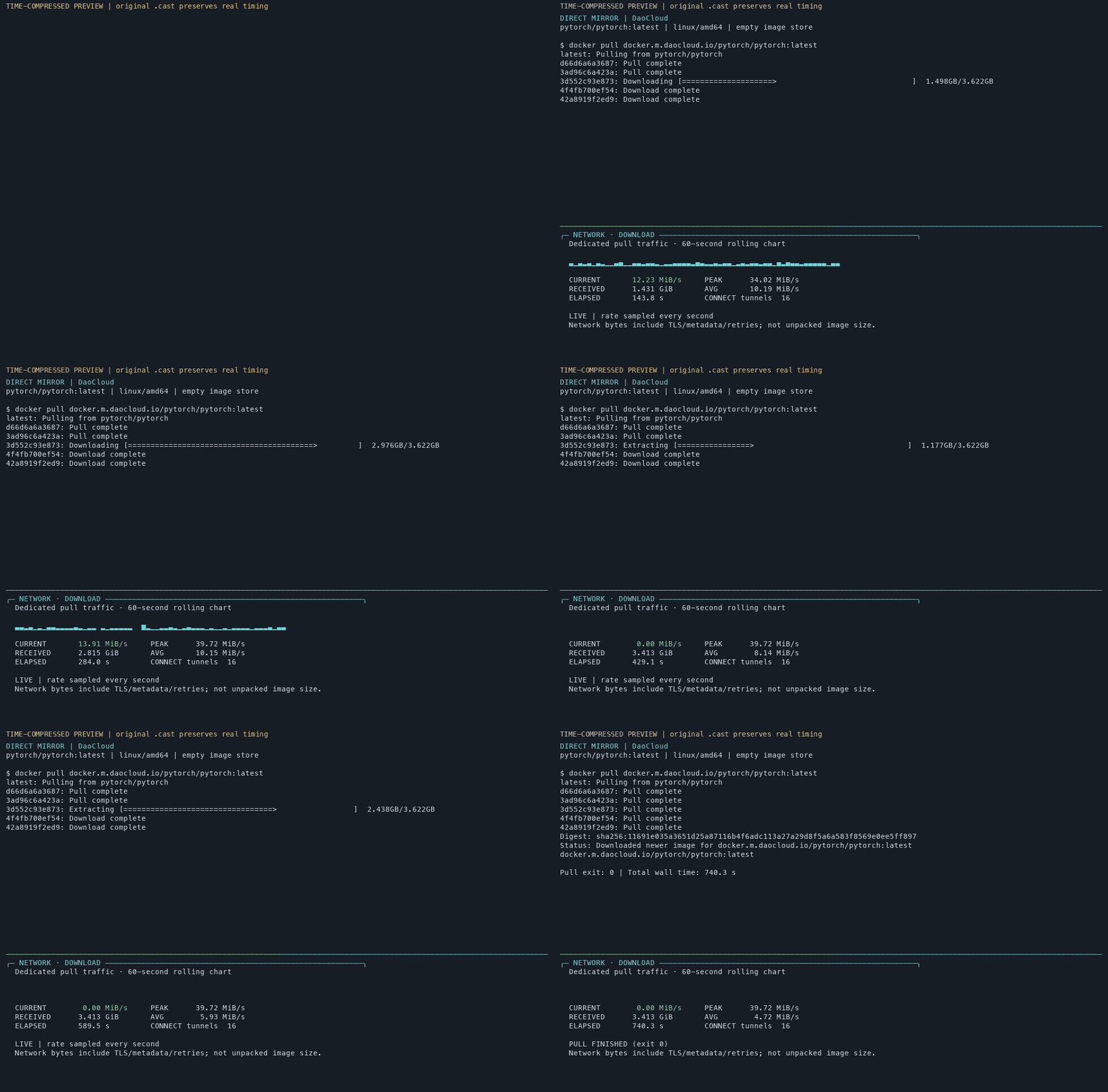
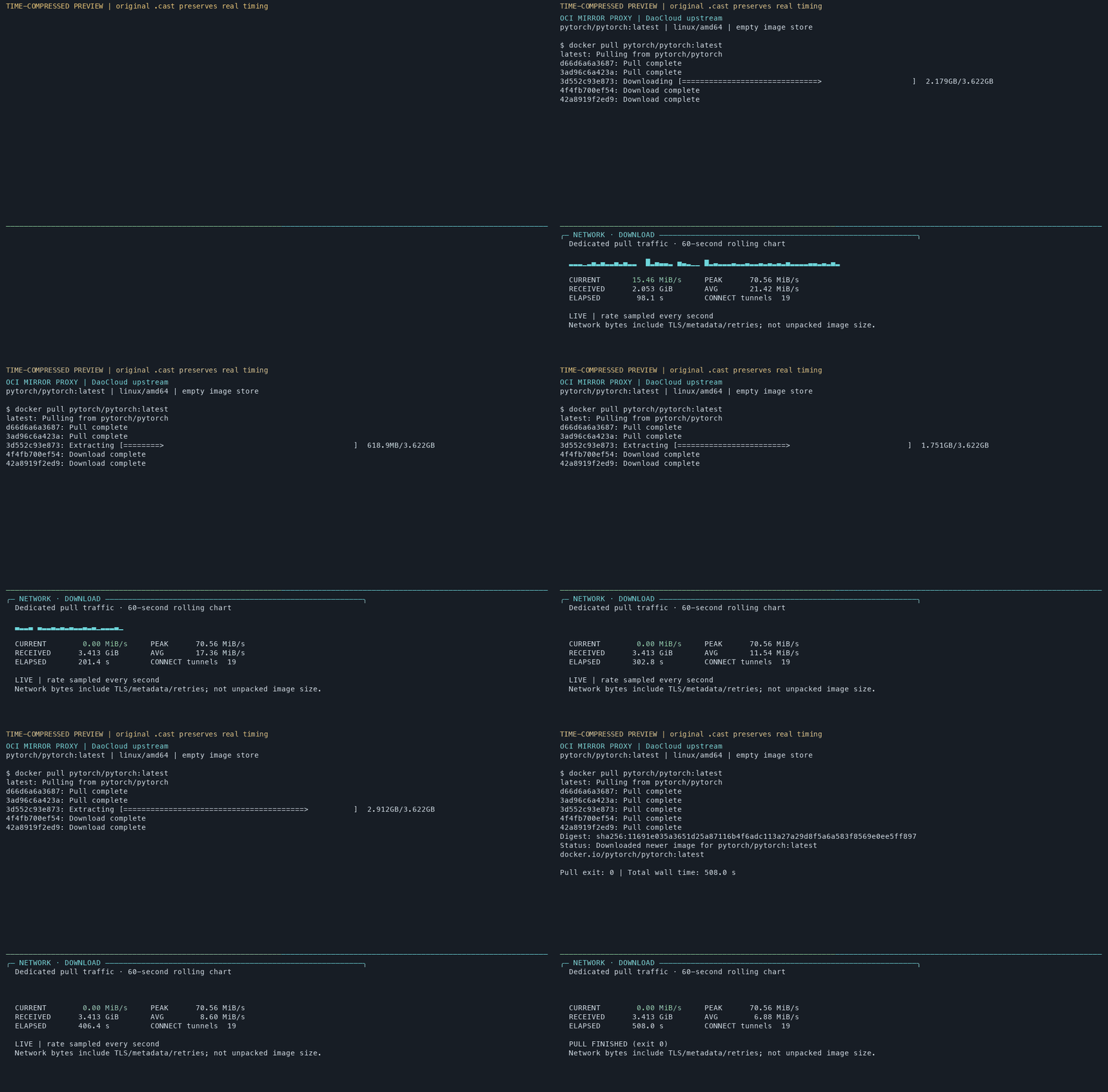
Time-compressed GIFs · Select an image to enlarge · Close with × or Esc